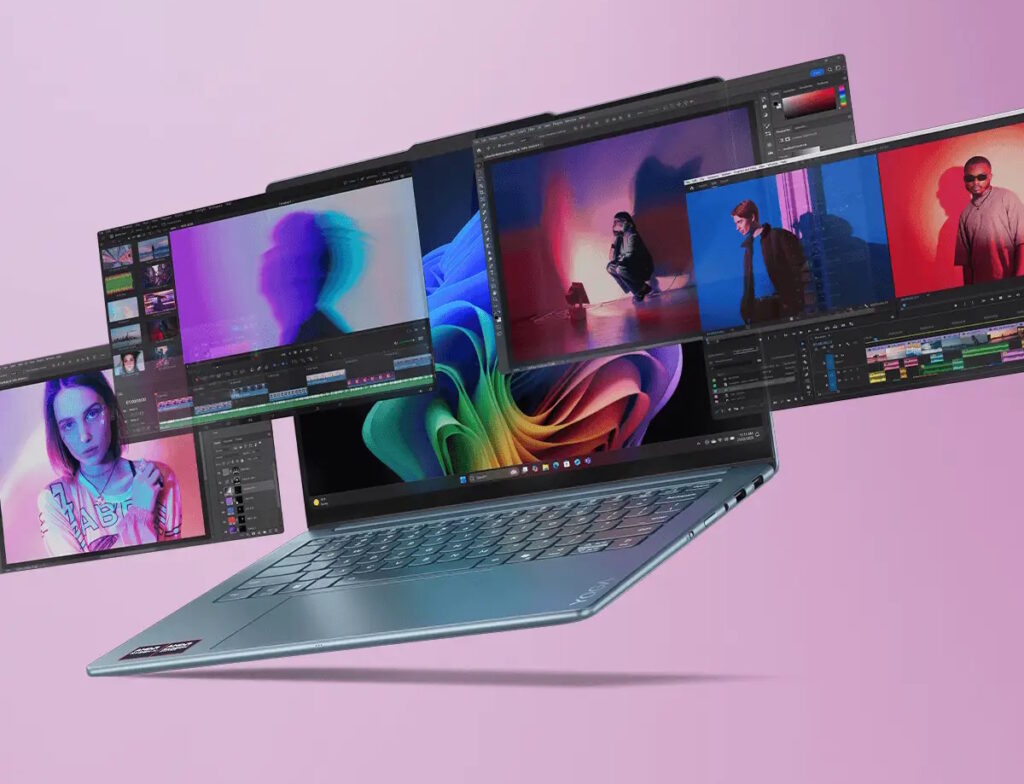

Lenovo Yoga Pro 9: The Ultimate 2026 Buyer’s Guide
If you’ve been hunting for a premium Windows laptop that can genuinely compete with a MacBook Pro while still handling serious creative and productivity workloads, the Lenovo Yoga Pro 9 deserves a spot at the top of your shortlist. Officially sold in some markets as the Yoga Pro 9i, this 16-inch powerhouse has become one of the most talked-about laptops of 2026, thanks to its Tandem OLED display, Intel Panther Lake silicon, and a design that finally feels refined rather than experimental.
In this guide, you’ll learn exactly what makes the Yoga Pro 9 tick, how it stacks up against alternatives like the massive Dell Alienware 18 gaming laptop and the ultra-portable Microsoft Surface Pro, and whether it’s the right laptop for your workflow in 2026. We’ll cover the hardware, display quality, battery life, real-world performance, pricing, and the honest pros and cons that reviewers have uncovered after extensive hands-on testing.
What Is the Lenovo Yoga Pro 9?
The Yoga Pro 9 sits at the top of Lenovo’s consumer-facing Yoga lineup, positioned as a creator-first machine rather than a traditional 2-in-1 convertible. While earlier Yoga laptops were known for flexible hinges and touchscreens, the Pro 9 series has evolved into a desktop-replacement-class machine built for video editors, photographers, developers, and power users who refuse to compromise on display quality or raw performance.
The 2026 generation, built around Intel’s latest Panther Lake architecture, brings a lighter and more compact chassis than previous versions, a bigger battery, and a noticeably quieter cooling system. Lenovo has clearly worked to fix some of the rough edges that reviewers flagged in earlier models, while keeping the elements people loved most: the keyboard, the speakers, and above all, the screen.
Key Specifications
Here’s a snapshot of what you can expect from a well-equipped Yoga Pro 9 configuration:
Processor and Graphics
The laptop is powered by Intel’s Core Ultra 9 Series 3 “Panther Lake” processor, Intel’s most capable mobile chip to date. It’s paired with an Nvidia GeForce RTX 5000-series discrete GPU, giving the machine enough graphical horsepower for photo editing, video rendering, and light-to-moderate gaming, alongside dedicated NPU acceleration for on-device AI tasks.
Display
This is where the Yoga Pro 9 truly shines. Buyers can choose between a 16-inch 2.8K OLED panel or a top-tier 3.2K Tandem OLED display capable of extremely high peak brightness and true HDR black levels. The Tandem OLED technology uses a dual-layer panel design that not only boosts brightness but is also engineered to last significantly longer than a standard single-layer OLED screen, addressing one of the biggest long-term concerns with OLED laptops.
Memory and Storage
Configurations scale up to 64GB of fast LPDDR5X memory, with generous SSD storage options suited to large creative project files, virtual machines, or extensive game libraries.
Battery and Charging
The 2026 model ships with a larger battery than its predecessor. Real-world testing has shown that battery life improves substantially when the discrete GPU is kept from waking unnecessarily, suggesting Lenovo still has some software optimization work ahead.
Build and Ports
The laptop uses a premium all-metal chassis with rounded, polished edges. Port selection includes Thunderbolt USB-C, a full-size SD card slot, and HDMI, though most charging and display ports are clustered on the left side, which can make cable management awkward on a crowded desk.
Design and Build Quality
Reviewers consistently describe the Yoga Pro 9 as one of the most polished Windows laptops on the market right now. The chassis feels substantial without being bulky, and the keyboard deck uses a soft-touch finish that’s comfortable for long typing sessions. Lenovo made the deliberate choice to remove the numpad this generation, centering the keyboard for better ergonomics a decision that delights typists but may frustrate spreadsheet-heavy users who relied on quick numeric entry.
The speakers are another highlight. Independent testers have ranked them among the best in any Windows laptop, putting them in the same conversation as high-end MacBook Pro audio systems a rare compliment for a Windows machine.
One recurring criticism involves the keyboard backlighting, where light bleed around the keys can make labels harder to read in certain lighting conditions. It’s a minor issue, but noticeable given the laptop’s premium price point.
Performance: How Does It Actually Handle Real Work?
For programming, audio production, everyday productivity, and most creative applications, the Yoga Pro 9’s Panther Lake processor delivers more than enough power. Multitasking feels smooth, and background processes rarely create friction during demanding sessions.
That said, the laptop isn’t the fastest option in its price bracket for sustained, CPU-heavy creative work. Apple’s MacBook Pro 16 with M5 Pro or M5 Max chips still outperforms it in rendering-heavy tasks, and dedicated gaming laptops with high-power HX-series chips can out-muscle it as well. The Yoga Pro 9 is best understood as a “does everything well” machine rather than a category leader in any single discipline which is precisely the appeal for buyers who want one laptop that handles work, creativity, and the occasional game session.
Lenovo Yoga Pro 9 vs. Dell Alienware 18: Two Very Different Philosophies
It’s worth comparing the Yoga Pro 9 against the Dell Alienware 18, since both target performance-focused buyers but approach the problem from opposite directions.
The Alienware 18 is Dell’s flagship gaming laptop, an 18-inch machine built around desktop-class components. It can be configured with Nvidia’s RTX 5090 GPU, up to 64GB of RAM, and a 300Hz high-refresh display, with a total gaming power budget that can reach 280 watts. It’s designed for maximum frame rates and benchmark-topping performance, and it shows: the Alienware 18 is significantly heavier, bulkier, and far less portable, often requiring a massive power brick to unlock full performance.
The Yoga Pro 9, by contrast, prioritizes portability, display quality, and everyday versatility over peak gaming performance. If your priority is competitive gaming or GPU-intensive 3D rendering at maximum settings, the Alienware 18 wins outright. But if you want a laptop you can realistically carry to a coffee shop, a client meeting, or on a flight while still editing 4K video or running demanding creative software the Yoga Pro 9 is the far more practical choice.
Where the Microsoft Surface Pro Fits In
For readers weighing even lighter alternatives, the Microsoft Surface Pro represents a third category entirely: an ultra-portable 2-in-1 tablet-laptop hybrid built around efficiency and mobility rather than raw performance. The Surface Pro is an excellent choice for note-taking, travel, and light productivity, but it simply isn’t built to compete with the Yoga Pro 9’s discrete graphics, larger display real estate, or creative-workload performance. Choosing between them really comes down to whether you value maximum portability (Surface Pro) or a balance of power and portability with a best-in-class screen (Yoga Pro 9).
Real-World Use Case: Who Should Buy the Yoga Pro 9?
Consider a freelance video editor who splits time between a home office and client visits. They need a display accurate enough for color grading, enough CPU and GPU power to scrub through 4K timelines without stuttering, and a chassis light enough to carry daily. The Yoga Pro 9’s OLED panel, Panther Lake CPU, and RTX-class GPU make it a strong fit for exactly this kind of hybrid workflow something a gaming-first laptop like the Alienware 18 or an ultra-light device like the Surface Pro can’t fully replicate.
Similarly, a software developer who occasionally dabbles in machine learning experiments will appreciate the NPU-accelerated AI performance and the comfortable, numpad-free keyboard for long coding sessions.
Pros and Cons
Pros:
- Outstanding OLED and Tandem OLED display options with excellent color accuracy and brightness
- Strong, comfortable keyboard and genuinely impressive speakers
- Solid all-around CPU and GPU performance for creative and productivity workflows
- Lighter, more compact chassis than previous generations
- Quieter cooling system compared to earlier Yoga Pro laptops
Cons:
- Battery life out of the box is inconsistent unless GPU behavior is manually optimized
- Charging and display ports are all clustered on one side
- Not as fast as top-tier MacBook Pro models in sustained creative rendering
- Keyboard backlight bleed is a minor but noticeable flaw
- Premium pricing puts it in competition with excellent alternatives at similar price points
Frequently Asked Questions
Is the Lenovo Yoga Pro 9 good for gaming? It can handle moderate gaming thanks to its Nvidia RTX-series GPU, but it isn’t designed to compete with dedicated gaming laptops like the Dell Alienware 18, which offers far higher-wattage graphics performance.
How does the Yoga Pro 9 compare to a MacBook Pro? The Yoga Pro 9 offers a comparable premium build and excellent display, but Apple’s M5 Pro and M5 Max chips still lead in sustained CPU-heavy creative workloads.
Does the Yoga Pro 9 support touch and pen input like the Microsoft Surface Pro? Configurations vary by region and model year, so it’s worth checking the specific SKU if touch or stylus support is a priority, since the Yoga Pro line has shifted focus toward clamshell creator use rather than 2-in-1 flexibility.
Is the battery life good enough for all-day use? Out of the box, battery life is average at best. Reviewers found meaningful improvements after adjusting GPU wake behavior, suggesting future software updates could improve this further.
Final Verdict
The Lenovo Yoga Pro 9 earns its place as one of the most well-rounded premium Windows laptops available in 2026. It won’t outperform a dedicated gaming rig like the Dell Alienware 18, and it won’t match the featherweight portability of the Microsoft Surface Pro, but it doesn’t need to. Its strength lies in balance: a stunning display, strong everyday performance, and a refined design that makes it genuinely enjoyable to use across work, creative projects, and downtime.
If you’re after a single laptop that can flex between demanding creative work and daily productivity without weighing you down, the Yoga Pro 9 is well worth the investment.
What matters most to you in a laptop raw performance, display quality, or portability? Share your thoughts in the comments below, and if you found this guide helpful, pass it along to anyone shopping for their next laptop.