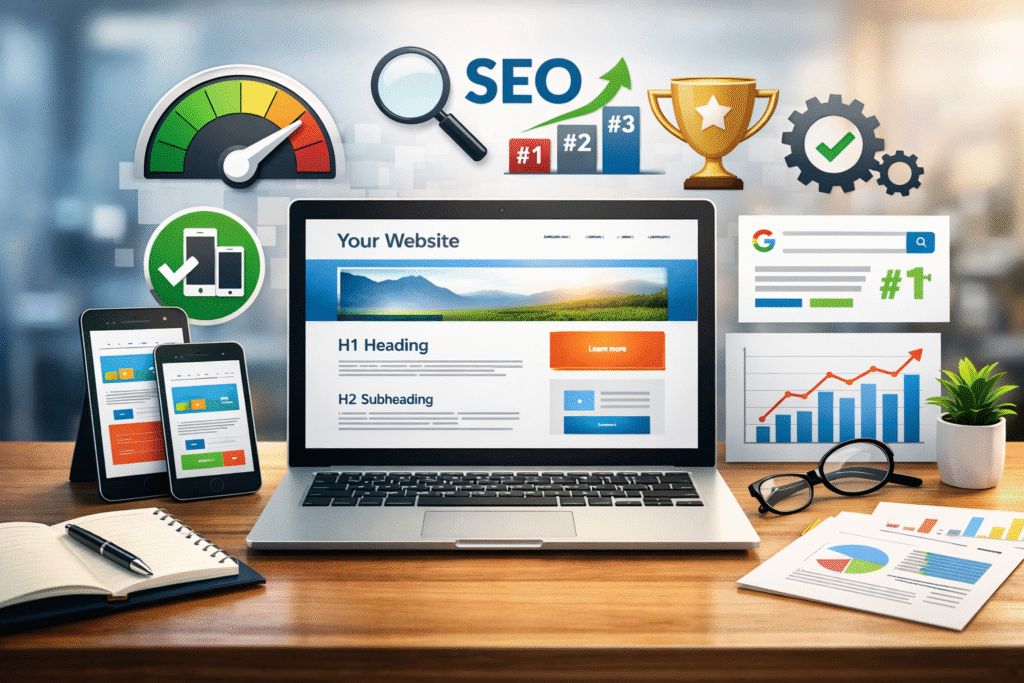

Key Takeaways
- SEO and Web Design Must Work Together: Integrating SEO during the design process improves visibility, usability, and search engine rankings.
- Core Elements of SEO-Friendly Design: Clear structure, mobile responsiveness, fast page speed, optimized content layout, and properly optimized images are essential.
- User Experience Boosts SEO: Good UX readable fonts, smooth navigation, and clear calls to action reduces bounce rates and increases engagement.
- Avoid Common Mistakes: Slow pages, poor mobile design, confusing navigation, and hidden content can hurt SEO; starting SEO-focused design early prevents costly fixes.
Many beginners believe web design is only about making a website look attractive. Colors, images, and layouts are important, but they are not enough. A website must also be easy for search engines to understand. This is where SEO becomes essential.
SEO, or Search Engine Optimization, plays a major role in web design. When SEO is built into the design process, your website can rank higher on Google, load faster, and provide a better experience for visitors.
In this beginner-friendly guide, you will learn what the role of SEO in web design is, why it matters, and how simple design choices can improve both rankings and user experience.
What Is SEO in Web Design?
SEO in web design means creating a website that is designed for both users and search engines. It ensures that your website structure, content layout, and technical setup help search engines crawl and rank your pages properly.
Web design focuses on how a website looks and functions.
SEO focuses on how a website is found online.
When these two work together, your website becomes more visible, usable, and effective.
Why SEO Is Important in Web Design
Search engines do not judge websites by appearance alone. They analyze structure, speed, content, and usability. If SEO is ignored during web design, your site may struggle to rank even if it looks professional.
SEO-friendly web design helps by
• Improving search engine visibility
• Making pages easier to crawl and index
• Increasing website traffic
• Building trust with users
For beginners, designing with SEO in mind from the start prevents costly redesigns later.
Key Elements of SEO-Friendly Web Design
1. Website Structure and Navigation
A clear structure helps users and search engines understand your website.
An SEO-friendly structure includes
• Simple and logical menus
• Clear page hierarchy
• Clean and readable URLs
• Internal links between related pages
Good navigation keeps visitors on your site longer, which improves SEO performance.
2. Mobile-Friendly and Responsive Design
Most website traffic now comes from mobile devices. Google also uses mobile-first indexing, meaning it checks the mobile version of your site first.
Responsive web design ensures
• Your website works on all screen sizes
• Text is easy to read on mobile devices
• Buttons are easy to tap
• Users have a smooth browsing experience
Mobile-friendly design is a core ranking factor and essential for SEO success.
3. Page Speed and Website Performance
Website speed directly affects SEO and user experience. Slow websites lose visitors and rank lower on search engines.
SEO-friendly web design improves speed by
• Using clean and lightweight code
• Compressing images and media files
• Reducing unnecessary animations
• Optimizing page elements
Fast-loading websites keep users engaged and increase conversion rates.
4. SEO-Friendly Content Layout
The way content is displayed affects both readability and rankings.
An SEO-friendly layout includes
• One clear H1 heading per page
• Proper use of H2 and H3 subheadings
• Short paragraphs for easy reading
• Clear spacing between sections
This structure helps search engines understand your content and helps users scan information quickly.
5. Image Optimization in Web Design
Images improve design, but they must be optimized for SEO.
Image optimization includes
• Using descriptive file names
• Adding alt text for accessibility and SEO
• Compressing images to reduce load time
Optimized images improve page speed and help your site appear in image search results.
User Experience and SEO in Web Design
User experience and SEO are closely connected. Search engines track how users interact with your website.
Good UX design improves SEO by
• Lowering bounce rates
• Increasing time spent on pages
• Encouraging visitors to explore more content
Readable fonts, clean layouts, and clear calls to action help users trust your website.
Common Web Design Mistakes That Hurt SEO
Beginners often make design mistakes that negatively affect SEO without realizing it.
Common mistakes include
• Heavy animations that slow down pages
• Poor mobile design
• Confusing navigation
• Hiding important content inside images or sliders
• Using unreadable fonts or colors
Avoiding these mistakes helps your website rank better and perform well.
How Beginners Can Combine SEO and Web Design
You do not need advanced skills to start using SEO in web design.
Beginner-friendly steps
- Plan keywords before designing pages
- Keep the layout simple and clean
- Focus on mobile-friendly design
- Optimize images and page speed
- Use basic SEO tools or plugins
Starting with SEO-focused design builds a strong foundation for long-term growth.
Benefits of SEO-Optimized Web Design for Businesses
SEO-friendly web design offers lasting benefits, especially for small businesses and startups.
Key benefits include
• Higher search engine rankings
• More organic website traffic
• Better user engagement
• Increased leads and sales
• Stronger online credibility
A well-designed, SEO-optimized website works as a long-term digital asset.
Conclusion and Call to Action
The role of SEO in web design is critical for online success. SEO helps your website get found, while web design helps visitors stay and take action. When both work together, your website becomes more powerful, visible, and effective .SEO and web design
If you are building a new website or planning a redesign, make SEO-friendly web design a priority from the beginning. It will save time, improve rankings, and deliver better results.
For professional support, explore trusted digital solutions and take the next step toward growing your online presence.
Frequently Asked Questions (FAQ)
What is the role of SEO in web design?
SEO ensures your website is structured and optimized so search engines can crawl, index, and rank it effectively. It works alongside design to improve visibility, usability, and user engagement.
How can I make my website SEO-friendly as a beginner?
Start by planning keywords, creating a clear site structure, using responsive design, optimizing images, improving page speed, and applying proper heading tags (H1, H2, H3). Basic SEO tools or plugins can also help.
Why is mobile-friendly design important for SEO?
Most users access websites via mobile devices, and Google uses mobile-first indexing. A responsive design ensures your site works well on all screen sizes, improving rankings and user experience.
How does website speed affect SEO and user experience?
Slow websites lower user engagement, increase bounce rates, and rank lower on search engines. Optimizing code, compressing images, and reducing unnecessary animations can improve speed.
What common design mistakes should I avoid to improve SEO?
Avoid confusing navigation, heavy animations, hidden content, poor mobile design, and unreadable fonts or colors. Starting with SEO-focused design prevents costly fixes later and helps your site rank better.