
Introduction
Do you notice streaks, faded prints, or missing lines on your documents? These issues are often caused by clogged printer heads. Cleaning printer heads is essential to maintain print quality and avoid replacing expensive parts.
Here’s a detailed guide from Eastern Laptop Repair on how to clean printer heads safely at home.
Printers are essential tools for businesses, students, and home offices alike. However, over time, they can develop printing issues caused by clogged printer heads. If you notice streaks, missing lines, faded colors, or uneven prints, it’s likely that your printer heads need attention. Regular maintenance is essential for high-quality prints and the longevity of your device.
Eastern Laptop Repair specializes in professional printer maintenance repair, but you can also perform safe, effective cleaning at home when done carefully. In this guide, we’ll show you how to clean printer heads step by step.
Tools You Will Need
Before starting, gather these tools:
-
Lint-free cloth or paper towels
-
Cotton swabs or foam swabs
-
Distilled water or isopropyl alcohol (70–90%)
-
Gloves (optional, to avoid ink stains).
-
Printer user manual for reference
Having the correct tools ensures you don’t damage the delicate printer heads during cleaning.
Step 1: Turn Off and Unplug the Printer
Always ensure the printer is powered off and unplugged before attempting any cleaning. This prevents electrical damage and protects you from accidental shocks.
Step 2: Remove Ink Cartridges Carefully
Open the printer’s ink cartridge compartment and remove the cartridges. Place them on a clean, lint-free surface to avoid contamination. Avoid touching the copper contacts or nozzles on the cartridges, as this can cause malfunctions.
Step 3: Locate the Printers Head
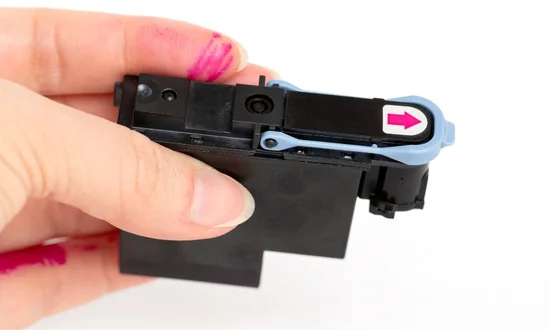
Depending on your printer model, the printer head may be integrated with the cartridge or a separate component. Consult your printer manual to identify its exact location. This is crucial because applying pressure to the wrong area can cause permanent damage.
Step 4: Gentle Cleaning of the Printer Heads
-
Dampen a cotton swab or lint-free cloth with distilled water or isopropyl alcohol.
-
Gently wipe the printer head nozzles, removing any dried ink and debris.
-
Avoid pressing too hard, as the printer heads are delicate and can be easily damaged.
-
If the printer heads are removable, soak them in distilled water for 5–10 minutes to dissolve stubborn clogs.
Step 5: Reinstall Cartridges and Test Print
Once the cleaning is complete, carefully reinstall the ink cartridges. Plug in and power on the printer, then run a test print to check if the cleaning resolved the issue. Many printers have built-in test or alignment sheets — use them to ensure optimal results.
Tips for Effective Cleaning
-
Use distilled water only: Tap water contains minerals that can further clog printer heads.
-
Perform regular maintenance: Frequent usage and periodic cleaning prevent build-up.
-
Run automatic cleaning cycles: Most printers have built-in software functions to help clear minor clogs.
-
Avoid harsh chemicals: Do not use acetone or strong solvents, as they can irreversibly damage printer heads.
When to Call a Professional
Some clogs may persist even after multiple cleaning attempts. Deep blockages, hardware issues, or older printers might require professional attention. Eastern Laptop Repair provides specialized printer head cleaning services that restore performance safely, preventing costly replacements.
Conclusion
Cleaning printer heads at home can save time and money if done carefully. By following these steps and practicing regular maintenance, you can maintain print quality and extend your printer’s lifespan. However, for stubborn clogs or recurring issues, professional services like Eastern Laptop Repair ensure your printer is functioning at its best.
Call to action: Learn more about professional printer maintenance and cleaning services at:
https://easternlaptoprepair.com/printer-repair/clean-printer-heads/