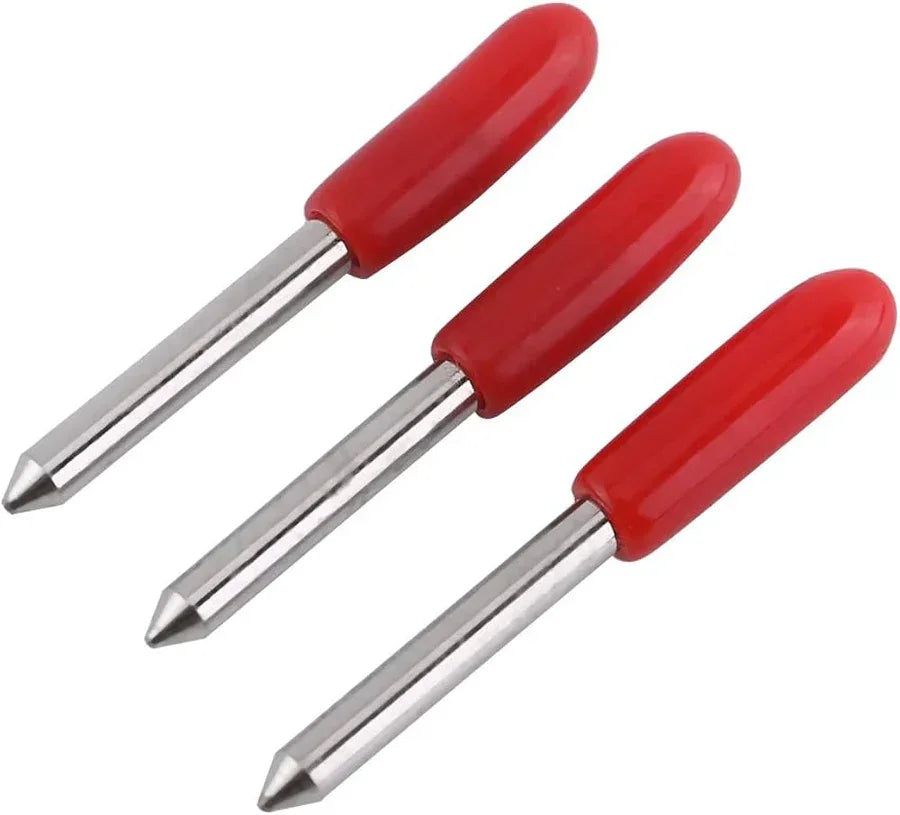

Clean cuts define the quality of any vinyl project. Rough edges, uneven lines, and torn corners quickly ruin the final look, even when the design itself looks perfect. Many users often adjust machine settings or blame the material, yet overlook a critical factor, vinyl cutter blades.
A blade that fails to perform precisely will always leave visible flaws. You may notice jagged lines or inconsistent depth, which signals a deeper issue. Understanding what causes these imperfections helps you regain control over your cutting results.
What Causes Jagged Edges in Vinyl Cutting?
Jagged edges in vinyl cutting are technically linked to blade drag, incorrect offset calibration, and improper force settings. Blade drag occurs when the cutting edge does not rotate freely, which leads to tearing instead of slicing. Offset misalignment causes corners to appear distorted, while excessive force increases friction and damages material layers.
Jagged edges rarely appear without reason. In most cases, the issue stems from a combination of blade condition, pressure settings, and material handling. A worn or incorrectly selected blade often leads to uneven cutting paths.
When vinyl cutter blades lose sharpness, they drag instead of slice. This friction disrupts smooth motion and results in rough finishes. Even slight dullness affects precision, especially in detailed designs.
Another factor includes incorrect blade angle. Using the wrong angle for a specific material creates resistance, which reflects directly in the final output. Proper alignment between blade type and material thickness remains essential.
Signs Your Blade Is Causing the Problem
It is not always obvious when a blade becomes the root cause. You may notice subtle warning signs before the issue escalates. Recognizing these early helps prevent wasted material and time.
When vinyl cutter blades start to degrade, you may see inconsistent depth across cuts. Some sections appear clean, while others look torn or incomplete. This inconsistency often points to uneven blade wear.
Another common sign includes excessive force requirements. If your machine needs higher pressure to achieve the same results, the blade likely struggles to maintain sharpness. This adjustment may temporarily compensate, yet it often worsens edge quality.
The Role of Blade Angle in Precision
Blade angle determines how deeply and sharply the tip engages with the material. A 30° blade suits thin films and fine detail work, a 45° blade handles standard vinyl, and a 60° blade works better for thick or dense materials. Using an incorrect angle increases resistance and produces jagged cuts due to improper penetration depth.
Blade angle directly influences how cleanly material separates during cutting. Each angle serves a specific purpose, and using the wrong type leads to visible defects.
For example, shallow angles work best for thin materials, while steeper angles handle thicker vinyl. When vinyl cutter blades do not match the material, they create drag, which results in jagged edges.
Choosing the right angle improves cutting efficiency and reduces strain on both blade and machine. It also ensures smoother motion, which reflects in cleaner lines and sharper details.
How Blade Wear Impacts Performance?
Every blade experiences wear over time. Continuous use gradually reduces sharpness, even when the blade appears intact. This decline affects cutting accuracy long before visible damage appears.
With worn vinyl cutter blades, edges start to fray instead of cutting cleanly. The blade may skip small sections or leave tiny uncut fibers behind. These imperfections accumulate and degrade overall quality.
Regular inspection helps identify wear early. You need to monitor performance rather than rely solely on appearance. A slight drop in precision often signals the need for replacement.
Proper Blade Setup Matters More Than You Think
Correct blade setup includes precise blade exposure, accurate offset calibration, and balanced downforce. Blade exposure should match material thickness closely, often just enough to cut through vinyl without scoring the backing. Incorrect offset values lead to rounded or hooked corners, which many users misinterpret as dull blade issues.
Even a high-quality blade fails without correct setup. Blade exposure, holder alignment, and pressure settings all contribute to final output quality.
When vinyl cutter blades extend too far, they cut too deep and damage both material and backing. Limited exposure, on the other hand, leads to incomplete cuts. Finding the right balance ensures consistent results.
You also need to maintain proper blade holder cleanliness. Dust and debris create resistance, which affects movement and precision. A clean setup supports smoother cutting paths.
Material Compatibility and Cutting Results
Different materials require different cutting approaches. A mismatch between blade type and material often results in jagged edges.
Thicker materials demand stronger and sharper vinyl cutter blades. Thin films require finer blades for delicate detail work. Using a general-purpose blade for all tasks may reduce efficiency and compromise quality.
You should match blade selection with project requirements. This alignment improves accuracy and reduces the likelihood of tearing or rough edges.
Maintenance Tips for Cleaner Cuts
Consistent maintenance plays a major role in achieving smooth results. Ignoring blade care leads to performance decline over time.
You need to clean vinyl cutter blades regularly to remove adhesive buildup and debris. This simple step helps maintain sharpness and ensures smoother cuts.
Storage also matters. Keeping blades in a dry, protected environment prevents damage and preserves their edge. Proper handling extends lifespan and maintains cutting quality.
Small Adjustments That Make a Big Difference
Sometimes, minor changes deliver noticeable improvements. Fine-tuning settings often resolves issues without major intervention.
Adjusting speed and pressure based on material type helps vinyl cutter blades perform more efficiently. Lower speeds often improve precision for intricate designs, while balanced pressure ensures clean separation.
Testing small samples before full production allows you to identify optimal settings. This approach reduces errors and improves consistency across projects.
Conclusion
Jagged edges signal an underlying issue that deserves attention. While machine settings and materials play a role, blade condition often stands at the center of the problem. Ignoring this factor leads to repeated frustration and inconsistent output.
By focusing on blade quality, setup, and maintenance, you improve both precision and efficiency. Well-maintained vinyl cutter blades deliver smoother cuts, sharper details, and reliable performance across projects. A small adjustment today may transform the quality of your work tomorrow.