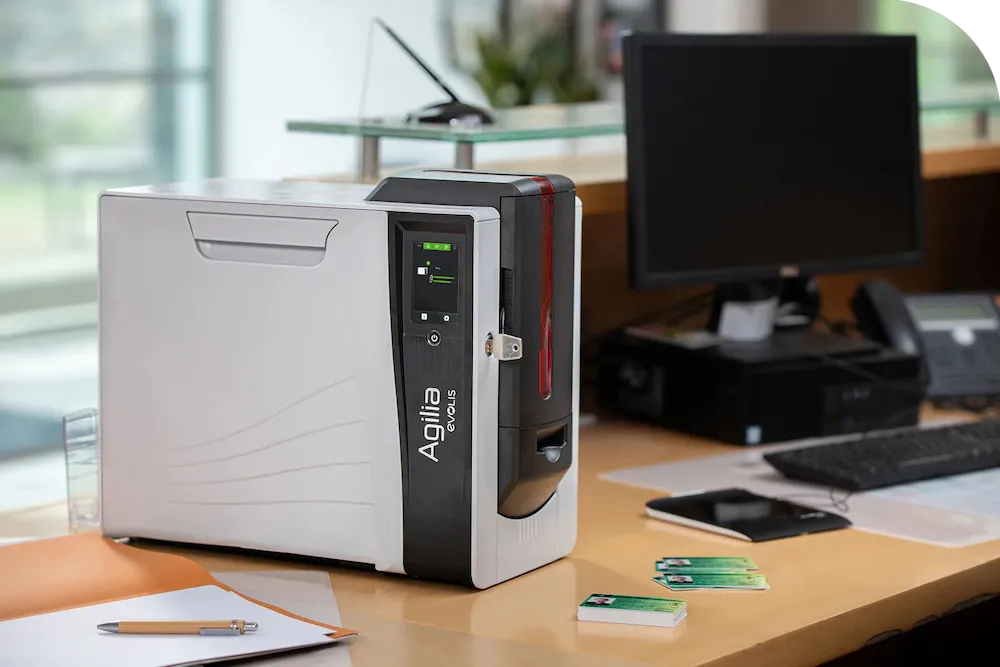

As modern businesses continue to prioritize security, branding, and smooth operations, the demand for efficient identification systems has grown rapidly. From corporate offices and educational institutions to event venues and healthcare facilities, having the right card printer machine has become an essential investment. While there are many solutions available, the challenge for most organizations is deciding between different badge printers and selecting the most suitable printer for ID card printing that aligns with their needs.
Choosing the right equipment not only impacts card quality but also determines how quickly, securely, and consistently you can issue badges. In this guide, we compare the leading technologies, outline practical use cases, and provide expert buying tips to help you invest confidently in the ideal ID printing solution.
Why Businesses Need a Reliable Card Printer Machine
A dependable card printer machine allows organizations to print professional-grade ID cards on demand. Whether you are onboarding employees, managing event attendees, or issuing student identification, instant card production improves workflow efficiency and enhances overall security.
Key reasons businesses invest in a card printer include:
- Faster onboarding and check-in processes
- Consistent professional branding on all badges
- Greater control over security and access permissions
- Cost savings compared to outsourcing ID card printing
- Flexibility to reprint or update badges anytime
With the increasing need for contactless entry systems and secure access, a high-performing printer for ID card printing is no longer optional—it’s a core business tool.
Understanding the Different Types of Badge Printers
When comparing badge printers, it’s important to understand the technology behind them. Not all printers offer the same quality, speed, or encoding functions. Here are the most common types used in professional environments:
1. Direct-to-Card (DTC) Printers
DTC badge printers transfer the image directly onto the card surface. They are ideal for:
- Basic employee ID cards
- Membership cards
- Student badges
These printers are affordable and fast but may leave a slight border around the edges.
2. Retransfer Printers
Retransfer printers produce higher-quality images by printing onto a film that is then fused onto the card. They are perfect for:
- Access control cards
- High-resolution photo IDs
- Smart cards with embedded chips
If your organization prioritizes durability and professional appearance, this type of card printer machine offers superior results.
3. Lamination Printers
These printers add a protective laminate layer, extending card life. They are commonly used in:
- Government offices
- Airports
- Hospitals
They increase card durability and tamper resistance—ideal for high-security environments.
Comparing Card Printer Machines for Different Use Cases
1. For Schools and Universities
Education institutions often print hundreds or thousands of ID cards annually. A reliable printer for ID card printing in an academic setting should prioritize:
- Fast print speeds
- Dual-sided printing
- Affordable ribbon and card replacements
Badge printers in schools are also used for bus passes, cafeteria cards, and library IDs.
2. For Corporate Offices
Businesses typically need badges with both visual identification and access control functionality. The best card printer setup includes:
- Magnetic stripe or RFID encoding
- High-resolution photo printing
- Strong durability to withstand daily use
Security is a top priority, making retransfer or lamination-based badge printers a strong choice.
3. For Event Management
Events require instant printing and adaptability. A portable, easy-to-use card printer machine helps organizers:
- Print visitor badges on demand
- Customize passes for VIPs or speakers
- Reduce check-in wait times
Lightweight, compact printers work best for temporary or mobile setups.
4. For Healthcare Facilities
Hospitals, clinics, and labs need durable ID cards that resist sanitization chemicals. Their ideal printer for ID card printing should offer:
- Laminated or retransfer printing
- Waterproof and scratch-resistant output
- Efficient batch printing
Healthcare badges must remain readable and professional at all times.
Key Features to Look for When Choosing a Card Printer Machine
Before investing in any printing equipment, businesses should evaluate several important features:
1. Print Volume Capacity
If you need to produce hundreds of cards per week, choose a high-volume card printer machine with faster print cycles. For occasional printing, an entry-level model may be sufficient.
2. Print Resolution
Look for a minimum of 300 dpi. High-resolution badge printers deliver clearer photos, logos, and barcodes.
3. Encoding Options
Consider whether your cards require:
- RFID/NFC chips
- Magnetic stripes
- Barcodes
- Smart card encoding
Your printer for ID card printing should support whichever technology your security system uses.
4. Durability and Card Longevity
Cards that will be swiped, scanned, or worn daily need protective lamination or retransfer printing to extend their lifespan.
5. Ease of Use and Software Compatibility
A user-friendly system with drag-and-drop design software makes card creation efficient—even for beginners.
6. Maintenance and Cost of Supplies
Check the costs of:
- Ribbons
- Lamination film
- Blank cards
- Printheads
Choosing budget-friendly supplies ensures long-term cost savings.
Which Printer Is Best for Your Business?
The answer depends on your specific needs:
- If you need basic IDs quickly → DTC badge printers
- If you require premium-quality images → Retransfer printers
- If your environment demands extra durability → Lamination printers
- If your goal is cost-efficiency and flexibility → A mid-range card printer machine is ideal
Understanding your print volume, environment, and security requirements will guide you toward the perfect printer for ID card printing.
Final Thoughts
Investing in the right card printer machine is a strategic decision that improves workflow efficiency, enhances security, and ensures professional-quality identification across your organization. By comparing different types of badge printers and evaluating features such as print technology, durability, and encoding capabilities, businesses can make informed decisions that support long-term operational success.
Whether you’re printing employee IDs, event badges, visitor passes, or student cards, the right printer for ID card printing will deliver reliable, high-quality results every time—saving you time, money, and unnecessary hassle.