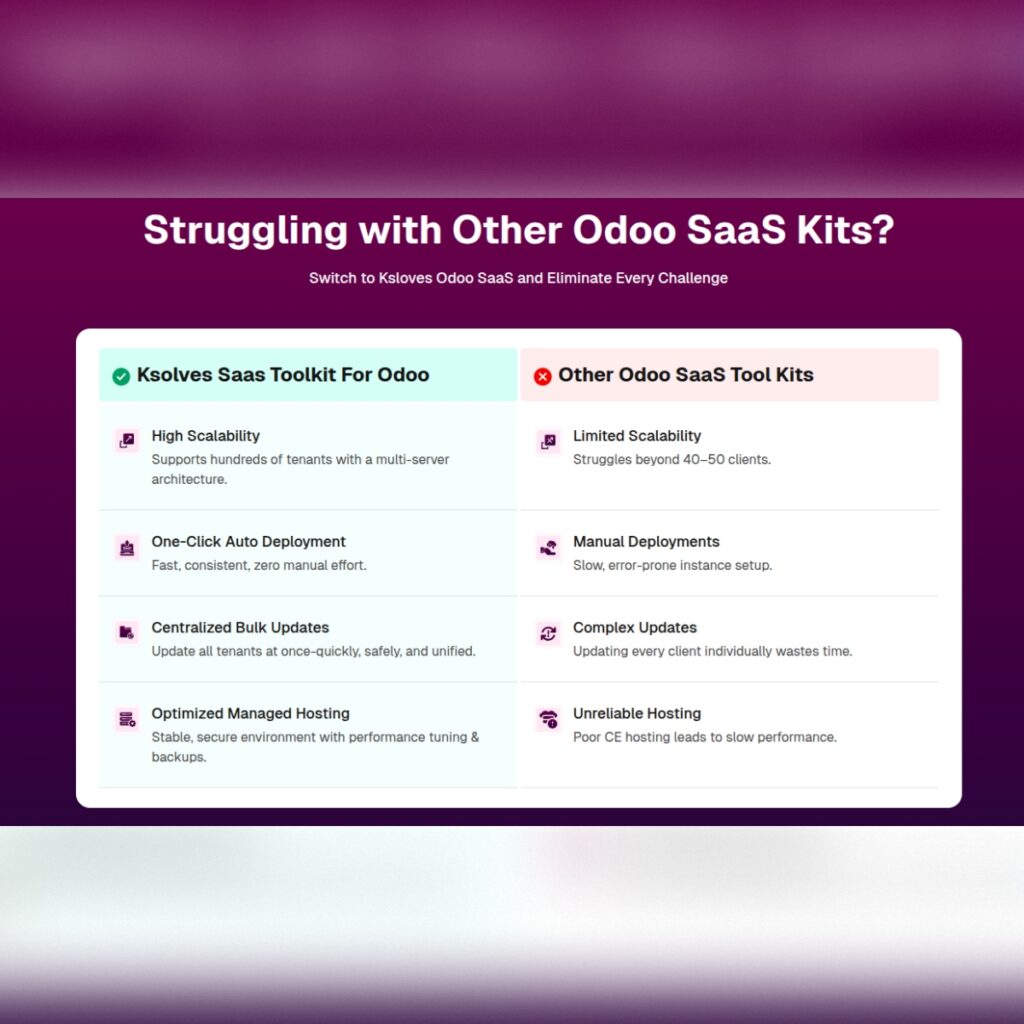

In the modern enterprise software landscape, Software-as-a-Service (SaaS) has established itself as the default delivery model for scalable, cloud-hosted applications. Forward-thinking enterprise resource planning (ERP) consultants, system integrators, and independent software vendors (ISVs) are moving away from traditional single-instance client deployments. Instead, technology providers are building multi-tenant cloud platforms capable of serving hundreds or thousands of business subscribers under a recurring revenue model.
Among open-source and commercial ERP engines, Odoo remains one of the most flexible frameworks available, spanning sales, inventory, accounting, HR, e-commerce, and project management. However, transforming Odoo into an enterprise-ready, automated SaaS platform requires specialized orchestration software to manage tenant provisioning, domain mapping, billing rules, and resource quotas. Before committing engineering resources to a specific platform architecture, evaluating a live odoo saas demo is a crucial decision-making step for IT leadership.
Why Experiencing an Odoo SaaS Demo is Critical for Business Leaders
Building a multi-tenant SaaS application on top of Odoo involves complex software mechanics behind the scenes. While standard Odoo is designed for single-company or multi-company usage within a single database, operating a commercial SaaS business demands complete tenant isolation, automated registration, payment gateway webhooks, and self-service management.
Participating in an interactive odoo saas kit demo provides key stakeholders with clear visibility into system behavior across both administrative and end-user perspectives:
-
Evaluating Onboarding Friction: A live demo reveals how smoothly prospective customers can select a subscription tier, enter company credentials, and land inside a pre-configured Odoo database without manual administrative intervention.
-
Assessing Administrative Controls: System operators can inspect master management panels to evaluate tenant status tracking, revenue analytics, server resource utilization, and automated maintenance workflows.
-
Verifying Custom Domain Capabilities: Testing domain mapping logic during a demonstration ensures that the software correctly manages reverse proxies, subdomains, and automated SSL certificate generation for subscriber brands.
-
Testing Billing and Plan Versatility: Evaluating the plan builder allows product managers to test various pricing models—such as flat-rate monthly tiers, pay-per-user licensing, or modular pay-per-app structures.
Key System Architectures Highlighted in the Odoo SaaS Toolkit Demo
When exploring an odoo saas toolkit free demo, technology decision-makers gain access to a fully configured sandbox environment that illustrates the platform’s underlying core modules:
-
Central Master SaaS Controller: The core control tower that monitors all active tenant databases, manages subscription states, triggers automated background tasks, and provides real-time metric reporting on Monthly Recurring Revenue (MRR), total active seats, and customer churn.
-
Automated Database Provisioning Engine: Demonstrating how background deployment scripts automatically duplicate template databases or launch isolated Docker containers upon successful payment confirmation.
-
Client Self-Service Management Portal: A dedicated portal where tenant administrators can independently manage subscription renewals, upgrade module access, add user seats, purchase add-ons, request database snapshots, and configure custom domain aliases.
-
Subscription & Recurring Payment Gateway Integration: A fully integrated billing gateway supporting automated recurring credit card processing, payment retry logic, dunning management, and automated account suspension for failed subscription renewals.
Strategic Technical Advantages of the Ksolves Odoo SaaS Architecture
Ksolves is a globally recognized software engineering firm specializing in Big Data, cloud infrastructure, and Odoo platform engineering. The Ksolves Odoo SaaS Toolkit is engineered to address the rigorous scalability, security, and performance demands of modern software providers.
Key technical highlights demonstrated during the live demonstration include:
-
Flexible Deployment Infrastructures: Support for both lightweight containerized architectures (Docker / Kubernetes) and bare-metal multi-database PostgreSQL setups across AWS, Google Cloud, Azure, or private cloud servers.
-
White-Label Branding & Complete Customization: Complete control over portal visuals, customer email notifications, signup wizards, and client dashboards, allowing providers to deliver a fully custom-branded cloud experience.
-
Automated SSL & Reverse Proxy Management: Automatic integration with Let’s Encrypt and Nginx/HAProxy reverse proxies to dynamically terminate SSL certificates and route traffic to client custom domains (
erp.clientdomain.com). -
Granular Security & Isolated Backups: Enforcing strict data isolation between customer databases, automated daily cloud backup routines, and granular Role-Based Access Control (RBAC) to ensure enterprise-level security compliance.
What to Look For During Your Odoo SaaS Toolkit Free Demo Session
To maximize the value of your trial session, technology teams should systematically evaluate the following operational workflows:
-
Step 1: Test the End-User Signup Journey
Navigate the public SaaS landing page, select an app package or subscription tier, complete the checkout process, and measure how quickly the new Odoo instance is initialized.
-
Step 2: Inspect the Master Admin Dashboard
Log into the master administrative console to view active databases, review user quotas, inspect server logs, and test manual account override functions.
-
Step 3: Evaluate Tenant Self-Service Features
Access the client portal as a tenant user to test domain mapping requests, user seat upgrades, plan changes, and database backup restoration tools.
-
Step 4: Review Payment & Plan Customization Options
Experiment with creating custom subscription tiers, defining trial periods, setting discount vouchers, and configuring payment gateway settings.
Conclusion
Transitioning into a recurring revenue SaaS provider offers incredible business potential, but operational success depends on robust, automated software infrastructure. Rather than spending months developing complex provisioning code from scratch, testing a production-ready solution provides immediate clarity. By requesting an odoo saas toolkit free demo from Ksolves, software leaders can evaluate cutting-edge multi-tenant automation in real time and accelerate their roadmap toward launching a high-margin, scalable cloud ERP business.