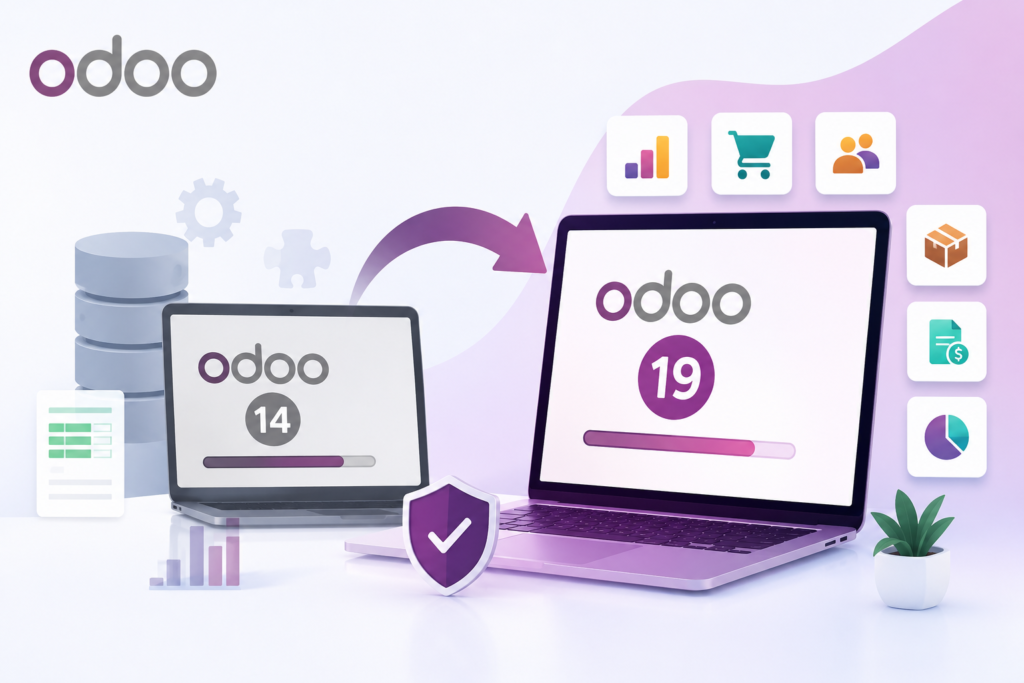

Digital transformation has become a priority for organizations striving to remain competitive in an increasingly technology-driven market. Enterprise Resource Planning (ERP) systems sit at the heart of these transformation initiatives, connecting finance, sales, inventory, manufacturing, purchasing, CRM, HR, and customer service into one integrated platform.
For businesses running older versions of Odoo, staying on outdated software can lead to performance issues, security vulnerabilities, unsupported customizations, and missed opportunities to leverage the latest innovations. That’s why upgrading to the latest version of Odoo is more than a software update; it’s a strategic investment in future growth.
However, ERP migration is often viewed as one of the most challenging IT projects due to concerns about data integrity, business continuity, custom modules, and integration compatibility.
This comprehensive Odoo ERP Migration Guide explains everything you need to know—from planning and preparation to migration, testing, deployment, and post-migration optimization—so you can upgrade faster, smarter, and more securely.
What Is Odoo ERP Migration?
Odoo ERP migration is the process of moving your existing Odoo environment to a newer version or transferring data from another ERP system into Odoo while preserving business data, workflows, and operational continuity.
Migration may involve:
- Upgrading from an older Odoo version (e.g., Odoo 15 to Odoo 19)
- Migrating from legacy ERP platforms such as SAP, Microsoft Dynamics, Oracle, NetSuite, or Sage
- Moving from on-premise infrastructure to cloud hosting
- Consolidating multiple Odoo databases into one centralized system
A successful migration ensures that your business benefits from the latest features without disrupting daily operations.
Why Businesses Upgrade to the Latest Odoo Version
Each new Odoo release introduces enhancements designed to improve productivity, automation, and scalability.
Key benefits include:
Better Performance
Modern Odoo versions offer faster page loading, optimized database queries, and improved system responsiveness, enabling employees to complete tasks more efficiently.
Enhanced Security
Upgraded versions include security patches, stronger authentication mechanisms, and compliance improvements that help protect sensitive business data.
AI-Powered Automation
Recent Odoo releases incorporate AI-driven capabilities, including intelligent document processing, workflow automation, and predictive insights that reduce manual effort.
Improved User Experience
A redesigned interface, streamlined navigation, and responsive design make the platform easier to use across desktops, tablets, and mobile devices.
Advanced Reporting
Businesses gain access to richer dashboards, customizable reports, and real-time analytics that support faster, data-driven decision-making.
Stronger Integrations
Updated APIs simplify integration with eCommerce platforms, payment gateways, logistics providers, accounting software, and third-party business applications.
Signs It’s Time to Migrate Your Odoo ERP
Many organizations postpone upgrades until technical problems become unavoidable. Common indicators that it’s time to migrate include:
- Your current Odoo version is no longer supported.
- System performance has noticeably declined.
- Security vulnerabilities remain unpatched.
- Custom modules frequently break.
- Integrations fail after external updates.
- Employees rely on manual workarounds.
- Business processes have become increasingly complex.
- Infrastructure maintenance costs continue to rise.
If your ERP is limiting business growth rather than enabling it, migration should become a strategic priority.
Types of Odoo ERP Migration
Version Migration
Moving from one Odoo release to a newer version while retaining existing data and functionality.
Example:
Odoo 16 → Odoo 19
ERP-to-Odoo Migration
Replacing legacy ERP software with Odoo to reduce licensing costs, improve flexibility, and unify business operations.
Cloud Migration
Migrating from self-hosted servers to cloud infrastructure to improve scalability, security, availability, and disaster recovery.
Database Consolidation
Combining multiple Odoo databases into a single centralized environment for easier management and reporting.
The Odoo ERP Migration Process
A structured migration approach minimizes risks and ensures business continuity.
Phase 1: Discovery & Assessment
Every migration should begin with a comprehensive assessment.
Review:
- Current Odoo version
- Installed modules
- Custom developments
- Third-party integrations
- Database size
- Hosting infrastructure
- User roles and permissions
- Existing workflows
This phase identifies technical dependencies and potential risks before migration begins.
Phase 2: Migration Planning
Develop a detailed migration roadmap that defines:
- Project objectives
- Timeline
- Budget
- Resource allocation
- Success metrics
- Rollback strategy
- Risk mitigation plan
Proper planning reduces uncertainty throughout the project.
Phase 3: Data Audit & Cleanup
Migrating poor-quality data only transfers existing issues into the new system.
Before migration:
- Remove duplicate records
- Archive obsolete data
- Validate customer information
- Clean vendor records
- Review inventory
- Verify accounting data
Clean data results in a more reliable ERP system.
Phase 4: Custom Module Assessment
Many businesses rely on custom Odoo modules developed to support unique workflows.
Evaluate each customization by asking:
- Is it still required?
- Can standard Odoo functionality replace it?
- Does it need redevelopment?
- Can it be retired?
Reducing unnecessary customizations lowers maintenance costs.
Phase 5: Test Environment Setup
Never migrate directly to production.
Create a staging environment where you can:
- Simulate migration
- Validate workflows
- Test integrations
- Resolve issues
- Measure performance
Multiple test migrations improve deployment confidence.
Phase 6: Data Migration
The migration process typically includes:
- Customer data
- Vendor records
- Products
- Inventory
- Sales history
- Purchase history
- Accounting transactions
- Manufacturing records
- CRM data
- Employee information
Accurate data mapping is essential to preserve relationships between records.
Phase 7: Testing
Comprehensive testing should include:
Functional Testing
Verify that every module behaves as expected.
User Acceptance Testing (UAT)
Allow business users to validate real-world workflows.
Integration Testing
Confirm APIs and third-party systems continue working correctly.
Security Testing
Review permissions, approval workflows, and access controls.
Performance Testing
Measure system speed under expected workloads.
Phase 8: Production Deployment
After successful testing:
- Backup production systems
- Freeze transactional data
- Execute migration
- Validate migrated records
- Resume business operations
Schedule deployment during low-traffic periods whenever possible.
Phase 9: Post-Migration Optimization
Migration is only the beginning.
Monitor:
- Performance
- Error logs
- User adoption
- Reports
- Scheduled jobs
- Integrations
Continuous optimization ensures long-term success.
Common Odoo Migration Challenges
Understanding potential challenges helps organizations prepare more effectively.
Data Loss
Incomplete backups or poor migration scripts may result in missing records.
Solution: Maintain multiple verified backups before migration.
Broken Custom Modules
Code written for older versions may no longer function.
Solution: Review and upgrade every customization before deployment.
Integration Failures
External applications may require updated APIs.
Solution: Test every integration individually.
Extended Downtime
Unexpected technical issues can delay deployment.
Solution: Perform multiple trial migrations and prepare rollback procedures.
User Resistance
Employees may struggle to adapt to interface or workflow changes.
Solution: Provide structured training and documentation.
Odoo ERP Migration Best Practices
Following proven best practices significantly increases migration success.
- Define clear business objectives.
- Conduct a complete ERP assessment.
- Clean and validate all master data.
- Minimize unnecessary customizations.
- Upgrade custom modules where required.
- Test migration multiple times.
- Validate every integration.
- Train end users before go-live.
- Maintain complete backups.
- Monitor performance after deployment.
Odoo ERP Migration Checklist
Before Migration
- Define project scope
- Audit modules
- Review customizations
- Clean database
- Backup systems
- Create staging environment
- Test integrations
During Migration
- Validate data mapping
- Monitor migration logs
- Verify module functionality
- Test reports
- Review permissions
After Migration
- Monitor system health
- Gather user feedback
- Resolve issues quickly
- Optimize workflows
- Update documentation
How Long Does Odoo ERP Migration Take?
The timeline depends on business complexity.
Factors affecting migration duration include:
- Number of users
- Database size
- Custom modules
- Third-party integrations
- Data quality
- Testing requirements
Benefits of Working with an Experienced Odoo Migration Partner
Although Odoo provides migration tools, experienced implementation partners add significant value by helping organizations:
- Reduce migration risks
- Upgrade custom modules
- Preserve business data
- Minimize downtime
- Optimize system performance
- Ensure security and compliance
- Validate integrations
- Provide post-migration support
A structured migration approach supported by experienced professionals often results in faster deployments, fewer disruptions, and higher user adoption.
Future Trends in Odoo ERP Migration
As ERP technology evolves, migration strategies continue to improve. Emerging trends include:
- AI-assisted data validation and migration
- Automated code conversion for custom modules
- Cloud-first ERP deployments
- Zero-downtime migration techniques
- Enhanced cybersecurity during migration
- Predictive monitoring and performance optimization
- Greater adoption of low-code customization tools
Organizations that embrace these advancements will be better positioned to adapt to future business demands.
Conclusion
Odoo ERP migration is more than an upgrade—it is an opportunity to modernize your business, improve operational efficiency, and build a scalable foundation for future growth.
A successful migration requires careful planning, clean data, thorough testing, and continuous optimization. By following a structured migration strategy, organizations can reduce risks, minimize downtime, and unlock the full value of the latest Odoo platform.
Whether you’re upgrading from an earlier Odoo version or replacing a legacy ERP system, investing in a well-planned migration today can deliver long-term operational and competitive advantages.