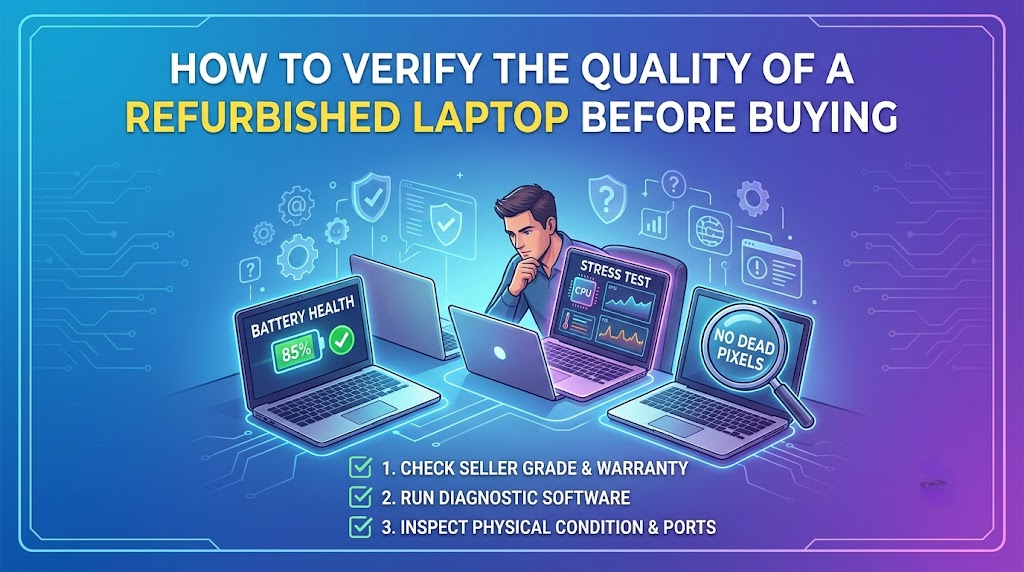

Buying a refurbished laptop is one of the smartest ways to get a high-performance device without spending the price of a brand-new laptop. Whether you need a laptop for office work, online classes, business, or everyday use, refurbished laptops offer excellent value when purchased from a reliable seller.
However, not every refurbished laptop is the same. Some are thoroughly tested and restored, while others may have hidden issues that affect their performance and lifespan. If you’re planning to buy refurbished laptops online in Thane, it’s important to know how to verify their quality before making a purchase.
1. Check the Physical Condition
The first thing to inspect is the laptop’s overall appearance. While minor cosmetic scratches are common, there should be no major cracks, dents, loose hinges, or damaged ports.
Look closely at:
- Screen condition
- Keyboard functionality
- Touchpad responsiveness
- USB and charging ports
- Webcam and speakers
- Laptop body and hinges
A well-maintained laptop usually reflects how carefully it has been refurbished.
2. Verify the Laptop Specifications
Always compare the actual specifications with what the seller advertises.
Check details such as:
- Processor generation
- RAM capacity
- Storage type (SSD or HDD)
- Display size
- Graphics card (if applicable)
- Operating system
For most users, an Intel Core i5 laptop with at least 8GB RAM and an SSD provides smooth performance for office work, studying, and daily multitasking. If you need more power for professional applications, an Intel Core i7 laptop may be a better option.
3. Check Battery Health
Battery performance naturally decreases over time, making it one of the most important things to inspect in refurbished laptops.
A healthy battery should:
- Hold a charge properly
- Charge without interruptions
- Provide reasonable backup depending on usage
If possible, ask the seller about the battery condition or whether it has been tested during the refurbishment process.
4. Choose SSD Storage Whenever Possible
One of the biggest upgrades in modern laptops is the use of SSDs instead of traditional HDDs.
An SSD offers:
- Faster boot time
- Quicker file transfers
- Better application performance
- Improved overall system responsiveness
When comparing SSD vs HDD laptops, SSD models are generally the better choice for speed and reliability.
5. Test the Display Carefully
The display is another important component that should be inspected before buying.
Check for:
- Dead pixels
- Screen flickering
- Brightness consistency
- Color quality
- Touch functionality (if applicable)
A high-quality screen improves your overall experience whether you’re working, studying, or watching videos.
6. Ask About Testing and Quality Inspection
Reliable sellers usually perform multiple quality checks before listing refurbished laptops for sale.
These inspections may include:
- Hardware testing
- Keyboard and touchpad testing
- Display inspection
- Charging test
- Audio and webcam check
- Wi-Fi and Bluetooth testing
- Performance testing
A proper laptop quality check helps ensure the device works as expected before reaching the customer.
7. Look for Warranty Support
A warranty gives buyers additional confidence and peace of mind.
Before you buy refurbished laptops, ask questions such as:
- Is warranty included?
- What does the warranty cover?
- How long is the warranty period?
- Is technical support available?
A refurbished laptop warranty shows that the seller stands behind the product.
8. Understand the Difference Between Used and Refurbished Laptops
Many buyers confuse used laptops with refurbished laptops, but they are not the same.
A used laptop is generally sold in its existing condition without detailed testing.
A certified refurbished laptop, on the other hand, is typically inspected, cleaned, tested, and restored to ensure reliable performance before being sold again.
Understanding the difference helps you make a better buying decision.
9. Choose the Right Laptop for Your Needs
Every user has different requirements, so choose specifications that match your work.
For example:
- Students: Intel Core i5, 8GB RAM, SSD
- Office Work: Intel Core i5 or i7, 8GB–16GB RAM, SSD
- Business Users: Business-class laptops such as Lenovo ThinkPad refurbished, Dell refurbished laptop, or HP refurbished laptop
- Professional Users: Higher RAM, larger SSD, and faster processors
Buying according to your needs helps you avoid paying for unnecessary features.
10. Buy from a Trusted Seller
One of the most important factors is choosing a seller with a good reputation.
A trusted seller usually provides:
- Proper quality testing
- Transparent specifications
- Genuine laptop images
- Warranty support
- Customer assistance after purchase
When you buy refurbished laptop in Thane, always verify the seller’s credibility before placing your order.