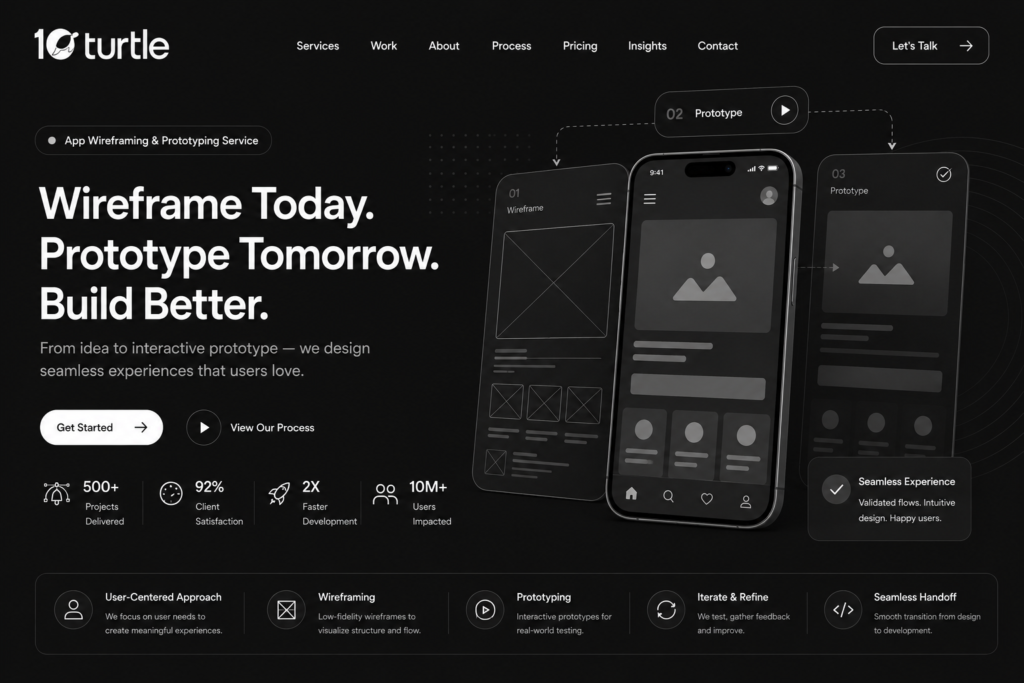

Every great app starts long before a single line of code is written. It starts with a sketch, a flow, a plan that shows exactly how users will move through your product. That’s where a professional app wireframing and prototyping service makes all the difference. For businesses across the USA, investing in structured wireframes and interactive prototypes means fewer costly revisions, faster developer handoffs, and a final product that actually feels the way it was meant to feel smooth, intuitive, and ready for real users.
Why Wireframing Comes Before Everything Else
Think of a wireframe as the blueprint of a house. You wouldn’t start pouring concrete without knowing where the walls go, and you shouldn’t start app development without knowing where every button, screen, and menu belongs. A low-fidelity wireframe strips away color, imagery, and branding so your team can focus purely on structure and user flow. This is the stage where a UI/UX design agency identifies navigation gaps, redundant screens, or confusing user journeys problems that are cheap to fix on paper but expensive to fix in code.
For American startups and SMBs racing to launch on tight budgets, this step alone can save weeks of back-and-forth with developers later.
From Wireframe to Clickable Prototype
Once the skeleton is approved, the next step is turning static screens into an interactive prototype. A clickable prototype lets stakeholders, investors, or beta testers actually tap through the app as if it were live without a single line of production code being written. This is one of the most valuable parts of any mobile app prototyping company’s process, because it exposes usability issues through real interaction rather than guesswork.
A well-built prototype typically includes:
- Realistic user flows for onboarding, checkout, and core features
- Micro-interactions like button states, transitions, and loading indicators
- Device-specific layouts for iOS and Android screen sizes
- Annotations that guide developers on exact spacing, fonts, and behavior
This is also the ideal stage to run early usability testing with a small group of target users. Feedback gathered here is far cheaper to act on than feedback gathered post-launch.
High-Fidelity Mockups: Where Design Meets Branding
After the interactive flow is validated, the project moves into high-fidelity mockups — pixel-perfect screens that reflect your actual brand colors, typography, iconography, and imagery. This is where the app starts to look like a finished product rather than a prototype. Many agencies offering custom UI/UX design solutions build a full design system at this stage, so every future screen, update, or feature addition stays visually consistent.
For USA-based businesses, this consistency matters more than ever. Users expect apps to feel as polished as the big-name platforms they use daily, and a scattered or inconsistent interface is one of the fastest ways to lose trust and downloads.
Why USA Businesses Are Prioritizing Prototyping in 2026
App development costs in the United States have risen steadily, and founders are under more pressure than ever to get funding-ready demos or MVPs out quickly. A design sprint approach compressing wireframing, prototyping, and testing into a focused one-to-two week cycle has become popular among American product teams because it delivers a testable prototype fast, without committing to full-scale development budgets.
This approach is especially valuable for:
- Startups preparing pitch decks for investors
- Healthcare and fintech apps that need compliance-friendly UI reviews before build
- E-commerce brands testing new checkout flows before a major sales season
- Enterprise teams validating a redesign before rolling it out company-wide
A dedicated app wireframing and prototyping service brings structure to what could otherwise be a chaotic, opinion-driven design process, replacing guesswork with tested, data-backed decisions.
Tools and Techniques Used in Modern Prototyping
Most agencies rely on a mix of established design tools such as Figma, Adobe XD, and Sketch, paired with prototyping platforms that support real-time collaboration. This matters for distributed teams a common setup in the USA, where designers, developers, and stakeholders may be spread across different time zones. Cloud-based design files mean feedback can be left directly on screens, comments get resolved in real time, and nothing gets lost in a scattered email thread.
Accessibility is another growing priority. Wireframes and prototypes are now commonly tested for color contrast, tap target sizing, and screen-reader compatibility from the earliest stages, rather than as an afterthought before launch.
Choosing the Right Prototyping Partner
Not every design team treats wireframing with the same level of rigor. When evaluating a partner, look for a portfolio that shows the full journey from rough sketches to final high-fidelity screens rather than just finished designs. Ask how they handle user testing, how many revision rounds are included, and whether they hand off developer-ready specs at the end of the process. A strong partner treats prototyping not as a formality, but as the foundation that determines whether your app succeeds after launch.
Frequently Asked Questions
1. What is the difference between a wireframe and a prototype?
A wireframe is a static, low-detail layout showing structure and placement. A prototype is interactive, allowing users to click or tap through screens to simulate the real app experience.
2. How long does app wireframing and prototyping take?
Most projects take between one and three weeks, depending on app complexity, number of screens, and how many rounds of feedback are needed.
3. Do I need a working prototype before hiring developers?
It’s not mandatory, but highly recommended. A tested prototype reduces development costs by catching usability issues before coding begins.
4. Can a prototype be used to pitch investors?
Yes. Clickable prototypes are widely used in the USA startup ecosystem to demonstrate product vision without the cost of full development.
5. What design tools are typically used?
Figma, Adobe XD, and Sketch are the most common tools, chosen for their real-time collaboration features and prototyping capabilities.
Final Thoughts
Skipping straight to development without proper wireframing and prototyping is one of the most common and costly mistakes businesses make. Taking the time to map out user flows, test interactions, and refine the design before writing code leads to apps that are easier to build, easier to use, and far more likely to succeed with real users. Whether you’re a startup building your first MVP or an established brand redesigning an existing app, a structured wireframing and prototyping process sets the foundation for a product people actually enjoy using.