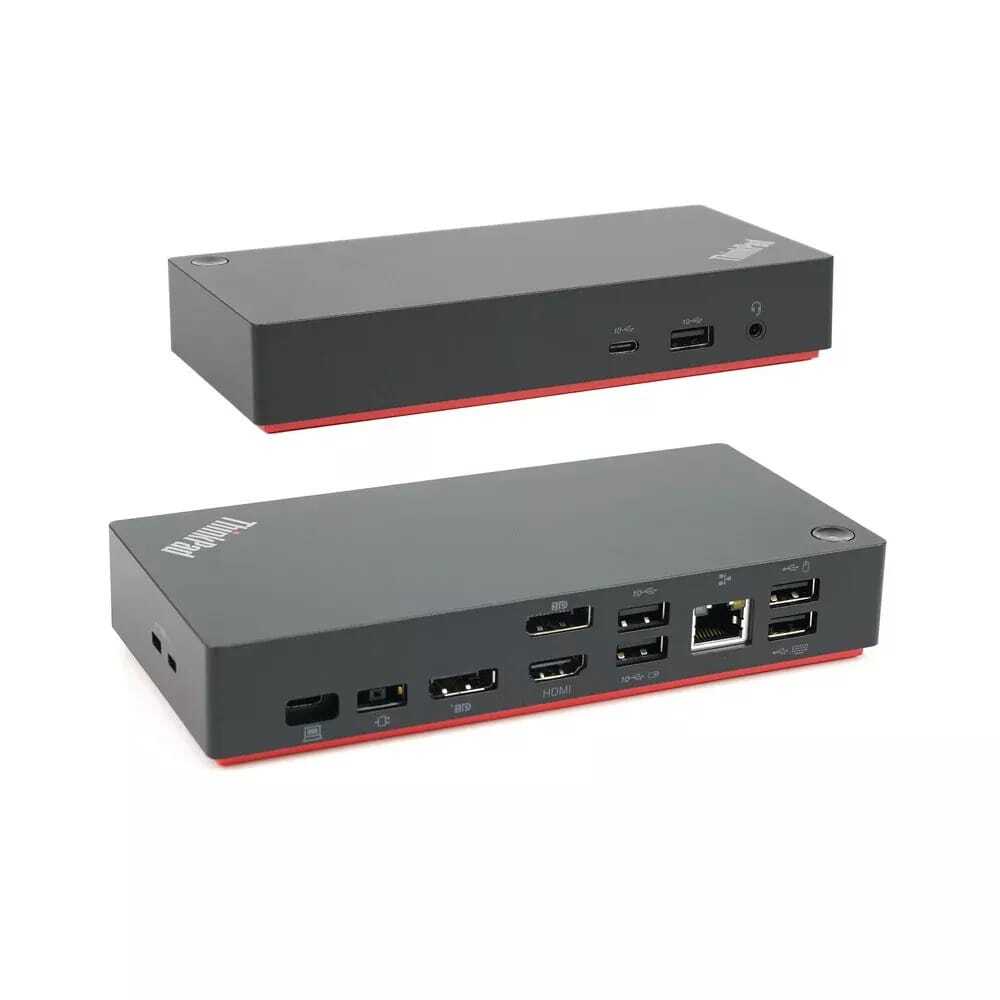

Your laptop was never designed to do everything alone. One screen, a handful of ports, and a tangled mess of cables that setup slows you down before your workday even begins. A refurbished HP laptop docking station solves this problem cleanly and affordably. One cable connects your laptop to monitors, keyboard, mouse, ethernet, and more. This guide covers everything you need to know before buying one in Australia.
Why Your Laptop Needs a Docking Station
Most laptops ship with two or three ports. For basic use, that works fine. But the moment you add a second monitor, a wired internet connection, and a few USB devices, you run out of options fast.
A docking station turns your laptop into a proper desktop workstation. You connect once and everything works — displays, peripherals, charging, and network access all through a single cable. When you need to leave, you unplug one cable and go. No fumbling with five different cords every morning and evening.
For remote workers, home offices, and small business setups, this kind of simplicity has real daily value. It removes friction from your routine and keeps your desk clean and organised.
What Makes HP Docking Stations Stand Out
HP builds its docking stations for professional environments. These are not basic USB hubs. They deliver stable power, fast data transfer, and reliable display output all at the same time.
The HP Thunderbolt Dock G2 supports dual DisplayPort outputs, ethernet, and multiple USB connections. It handles 4K displays without performance issues. The HP G5 USB-C Docking Station supports up to three external monitors, delivers up to 100W of power to your laptop, and works across Windows, macOS, and Chrome OS. These are workhorses built for all-day use in demanding environments.
What sets HP docks apart is how well they handle power delivery alongside data. Cheaper alternatives often struggle to charge your laptop while running multiple displays. HP models handle both without compromise.
Refurbished HP Laptop Docking Station — Is It Worth Buying?
This is the question most buyers ask. The answer is straightforward yes, when you buy from a supplier who tests and guarantees every unit.
A refurbished HP laptop docking station goes through the same professional environment it was built for. These docks were designed for commercial use, often in corporate offices running eight or more hours daily. When returned, they get cleaned, tested across all ports, and verified for safe power delivery before being resold.
You pay significantly less than the new retail price. The performance you receive matches what the dock delivered on day one. For a buyer focused on value, a refurbished unit makes far more sense than paying full price for a product that does the same job.
The savings are real. An HP Thunderbolt Dock G2 at full retail sits well above $200. A properly refurbished version delivers identical performance at nearly half the cost.
Choosing the Right Dock for Your Setup
Not every dock fits every laptop. Before you buy, check two things: your laptop’s port type and your display requirements.
If your laptop has a Thunderbolt 3 or Thunderbolt 4 port, a Thunderbolt dock gives you the highest bandwidth up to 40 Gbps. This supports multiple 4K displays, fast external storage, and 100W charging simultaneously. If your laptop uses a standard USB-C port, a USB-C dock like the HP G5 still handles dual monitors and full charging without any issues.
Think about how many screens you need. A single external monitor is straightforward almost any dock handles it. Two monitors require a dock with dual display outputs. Three monitors need a dock specifically rated for that configuration.
Ethernet matters more than people realise. A wired connection through your dock is faster and more stable than Wi-Fi, especially during video calls or large file transfers. If you work from home, this single feature improves your daily experience noticeably.
Targus Docking Station Australia — A Flexible Alternative
Not every workspace runs on a single brand. If your team uses a mix of laptop models, a universal docking station gives you more flexibility.
A Targus docking station Australia buyers use covers exactly this need. Universal docks connect via USB-A or USB-C and work across different brands and operating systems. They suit shared workspaces, classrooms, and small offices where one dock needs to work with several different laptops.
A Targus docking station Australia option is also a practical pick for users who want straightforward plug-and-play connectivity without worrying about Thunderbolt compatibility. The setup takes seconds. Ports for USB, HDMI, audio, and ethernet cover the essentials without overcomplicating the experience.
For buyers who need brand-agnostic connectivity, a Targus docking station Australia model sits alongside HP options as a dependable, budget-conscious choice.
Setting Up Your Docking Station the Right Way
Setup takes less than five minutes. Connect your dock to power first. Then connect your laptop using the correct cable USB-C or Thunderbolt depending on your model. Plug in your monitor, keyboard, mouse, and ethernet cable. Windows detects everything automatically.
Go to Settings, then Display. Arrange your monitors to match their physical position on your desk. Select Extend to use both screens as one large workspace. If your dock requires a firmware update, HP Support Assistant handles that in a few clicks.
Position your main monitor directly at eye level. Place any second screen beside it at a slight angle. This keeps both displays comfortable to view without turning your head too far during long sessions.
Make the Switch Before Stock Runs Out
Refurbished docking stations sell fast. Stock is limited and replenished in small batches — once a model sells out, it may not return quickly. If you have found the right dock for your setup, waiting rarely works in your favour.
A quality HP laptop docking station transforms how you work every single day. Less cable chaos, more screen space, faster internet, and one clean connection. Tech Trade Group stocks tested, warranted refurbished docking stations ready for home offices and business desks across Australia. Visit us today and find the right dock for your workspace.
FAQs About HP Docking Stations in Australia
Will an HP docking station work with non-HP laptops?
Yes. USB-C and Thunderbolt docks from HP work with any laptop that supports those port types, including models running Windows, macOS, and Chrome OS.
Does a refurbished dock include the power adapter?
Yes. Every refurbished dock should come with a tested power supply. Confirm this with the seller before purchasing.
How many monitors can an HP dock support?
Most HP USB-C docks support two monitors. Thunderbolt models support up to four displays at 4K resolution simultaneously.
Can a docking station replace my desktop computer?
For most everyday tasks email, documents, video calls, and web browsing yes. Pair a dock with a capable laptop and a dual monitor setup, and the experience matches a desktop workstation.
Are refurbished docking stations safe for daily long-term use?
Yes, provided they come from a seller who tests every port and power circuit before resale and backs the product with a warranty.